
Why It Matters
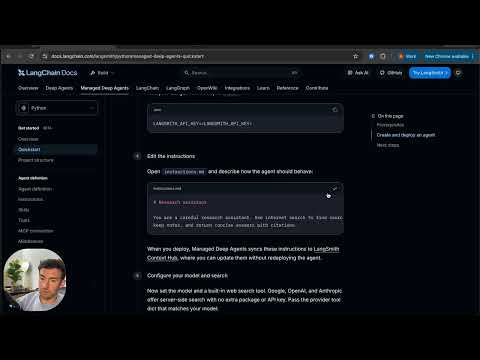
The shift toward 'managed' agents signals an end to the era of static prompt-engineering. By detaching agent behavior from the underlying deployment code, teams can treat AI logic as dynamic content, significantly reducing the friction associated with iterative model tuning.
Strategic Implications
This approach prioritizes operational agility. Companies can now perform 'hot-swaps' of agent instructions or tools without the overhead of CI/CD pipelines, making it ideal for fast-moving enterprise applications where model behavior must adapt to changing market data.
Evidence & Hype Audit
The content is a functional walkthrough rather than a theoretical pitch. While it simplifies the underlying architecture—deferring complex topics like sandboxing—it is highly trustworthy as a baseline for beginners. The claims regarding UI-driven updates are standard for modern LLM-ops platforms, though the true reliability of such systems under heavy load remains an industry-wide variable.
Counterarguments
Critics may argue that decoupling logic from code introduces auditability and version-control risks. If instructions can be changed via a UI, tracking 'who changed what' becomes more complex than standard Git-based versioning. Furthermore, reliance on a proprietary 'Context Hub' creates platform lock-in, which may concern developers prioritizing portable, vendor-neutral architectures.
Who Should Care
- AI Engineers: Those looking to streamline their deployment pipelines.
- Product Managers: Individuals who want to adjust agent behavior without waiting for engineering bandwidth.
- Prototyping Teams: Developers needing to rapidly move from concept to testable production endpoints.
What to Do Next
- Audit Your Tooling: Evaluate if your current agent stack supports hot-swapping logic via UI.
- Experiment with Context: Attempt to refactor a static system prompt into a modular 'instruction file' to test the speed of iteration.
- Set Governance: If using UI-based updates, define a clear protocol for documenting changes made outside of your primary codebase.
- Monitor Traces: Connect your existing agents to a tracing tool like LangSmith to identify hidden failures in tool-calling loops.