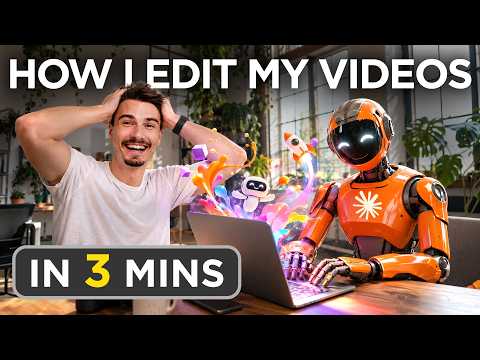
How I Edit My Videos with Claude

Video thumbnail: How I Edit My Videos with Claude
Nov 4, 20263m 22s video lengthThe AI Advantage

The Signal

The speaker outlines a video production workflow that uses AI to generate synchronized motion graphics. By converting recorded narration into a timestamped transcript, the system automates alignment between visual B-roll and spoken audio. While presented as a replicable, high-quality process, the workflow remains a semi-automated pipeline that necessitates manual human review and intervention.

The Case

The Pipeline

  • The workflow captures camera and screen feeds locally before syncing them via Dropbox, where editors export an MP3 to generate an SRT transcript with precise timestamps via ChatGPT.0:31
  • This transcript is fed into Claude Design alongside a specific prompt that mandates 16:9 graphics, high motion, and minimal text, which the speaker notes is necessary because the default AI output is often text-heavy.1:11
  • The speaker employs the “open 5.5” model with “thinking” set to extra or max, asserting that these higher settings significantly outperform default or medium configurations for animation tasks.1:41

Limitations and Integration

  • Generation typically takes between 30 minutes and two hours, during which the AI can stall silently without notification; the user must manually prompt it to continue.2:05
  • The final output is not a finished product but an additional B-roll layer that the editorial team reviews against the original narration to request fixes before final assembly.
  • The tutorial is paired with a promotion for the speaker’s “AI advantage club,” a $1 paid community that offers monthly live events and structured challenges.2:56

The 1 Minute Signal Take

This workflow replaces manual scene-by-scene animation with a timestamp-driven AI generation system that relies on human oversight to handle stalls and quality control. For creators, the primary lesson is that the model's “thinking” settings and specific prompt constraints are more vital to output quality than the raw generation capability itself.

Pro Analysis

Why It Matters

This workflow reflects a broader trend in creator-led AI adoption: moving away from 'all-in-one' automated tools toward composable, multi-step pipelines where AI serves as a specialized engine within a standard non-linear editing (NLE) environment.

Strategic Implications

  • Process Modularization: By isolating the 'animation generation' step, creators can iterate on individual components of their pipeline without redoing the entire edit.
  • Human-in-the-loop Efficiency: The insistence on review and B-roll selection acknowledges that current generative AI output is better suited as a creative starting point than a final master.

Evidence & Hype Audit

This is a practical tutorial rather than a scientific claim. The speaker's claims of 'beautiful' and 'incredible' results are subjective, and the workflow lacks comparative metrics against traditional motion graphic design. However, the operational steps provided are sufficiently specific to be replicable and testable.

Counterarguments

Critics might argue that such highly automated animation workflows lead to a visual 'sameness' across content. Furthermore, the overhead of setting up Dropbox, SRT extraction, and manual model prompting may be more time-consuming for solo creators than using pre-made motion graphic templates.

Who Should Care

  • Video Editors: Anyone looking to integrate AI-generated assets into existing Premiere/DaVinci Resolve workflows.
  • Content Creators: Producers managing high-volume output who need to scale their graphic production without hiring a dedicated motion designer.

What to Do Next

  • Audit your current editing bottleneck to see if a specific task can be offloaded to a text-in, visual-out AI pipeline.
  • Create a reusable prompt library that specifies your brand's preferred visual style (e.g., 'more motion, less text').
  • Implement a 'watch folder' system to keep files organized for editors.
  • Experiment with timestamped transcript inputs to see if your AI-generated assets show better alignment than free-form prompts.
Time saved:24s

Share this

Tags

Written by: 1 Minute Signal Editorial Team