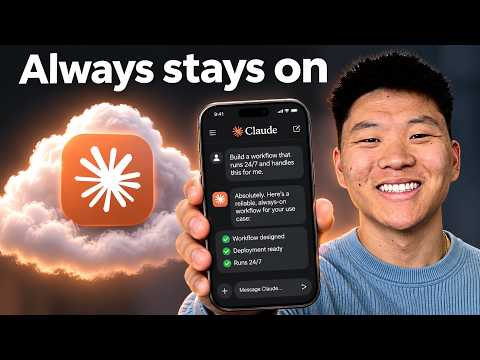
How to Put Claude Code on a VPS in 10 Minutes

Video thumbnail: How to Put Claude Code on a VPS in 10 Minutes
Nov 19, 202610m 37s video lengthNate Herk | AI Automation

The Signal

This video demonstrates a workflow for hosting Claude Code—an AI-driven coding assistant—on a virtual private server (VPS) to enable remote interaction via Telegram. The core tradeoff is gaining persistent, cloud-based access to Claude Code while introducing significant credential-management risks and reliance on a specific, non-verified remote uptime setup.

The Case

Setup and Architecture

  • The narrator uses a Hostinger VPS with a preconfigured option for Claude Code, which runs the session using their personal Claude Team subscription.0:42
  • Telegram integration is achieved by creating a bot and using a specific Claude Code plugin, which the narrator says they restricted to their own account by pairing a unique Telegram code.5:18
  • The narrator reports that configuring a background service allowed the bot to respond after a reboot, though this is a single, isolated test rather than a guarantee of continuous availability.8:21

Optimization and Risks

  • To prevent context exhaustion in the continuous Telegram session, the narrator suggests setting the AI's autocompact threshold to 400K tokens instead of the default of approximately 960,000.9:13
  • The narrator recommends storing root passwords and API environment variables in a project repository to facilitate troubleshooting, a practice that introduces potential credential-exposure risks.2:19
  • The video includes a promotional offer for Hostinger plans using a "Nate Kirk" coupon, asserting a "$368 value" for $100 annually; the terms of this deal and the narrator's potential financial interest remain unverified.1:26

The 1 Minute Signal Take

This tutorial provides a functional roadmap for offloading AI coding tasks to a cloud environment, but it treats security and reliability as secondary to convenience. Viewers should weigh the utility of a persistent remote bot against the risks of placing root credentials and API secrets in a cloud-hosted repository.

Pro Analysis

Why It Matters

This tutorial represents a shift in how developers interact with LLM agents. By moving from a desktop-tethered model to a persistent cloud-hosted service, users can treat their AI agents like cloud infrastructure—always available, independent of local hardware, and ready to act on demand. It bridges the gap between 'AI as a chatbot' and 'AI as an autonomous agent'.

Strategic Implications

This approach allows for asynchronous workflows. A developer can trigger an agent to refactor code or update documentation from a phone while away from their terminal, and receive the results later. This maximizes the utilization of paid LLM subscriptions (like the Claude Team plan) by decoupling the agent's availability from the user's physical presence.

Evidence & Hype Audit

  • Reliability: The narrator reports successful reboots, but this is anecdotal. A professional implementation would require robust uptime monitoring.
  • Commercial Bias: The content is heavily promotional. The specific discount claims ('$368 worth for $100') lack transparent itemization. Viewer skepticism is warranted regarding the 'biggest deal of the year' claims.

Counterarguments

Running persistent, authenticated agents in the cloud introduces significant security risks. If the VPS credentials or the Telegram bot tokens are compromised, an attacker gains unauthorized access to your Claude Team subscription and potentially the source code hosted on your server.

Role-Specific Takeaways

  • Developers: Use this for low-latency, remote coding assistance and background automation.
  • Security Architects: Avoid this pattern for highly sensitive enterprise environments unless robust MFA and hardened network access controls are applied.

What to Do Next

  • Conduct a security audit of the VPS before transferring any sensitive API keys.
  • Implement strict IP-based access controls for SSH sessions if possible.
  • Set up a monitoring service (e.g., UptimeRobot) to verify the actual reliability of your background service.
  • Use a dedicated, limited-permission Telegram bot token rather than a master account.
  • Test the 'auto-healing' capability by intentionally rebooting the server to see if the service recovers without human intervention.
Time saved:7m 29s

Share this

Tags

Written by: 1 Minute Signal Editorial Team