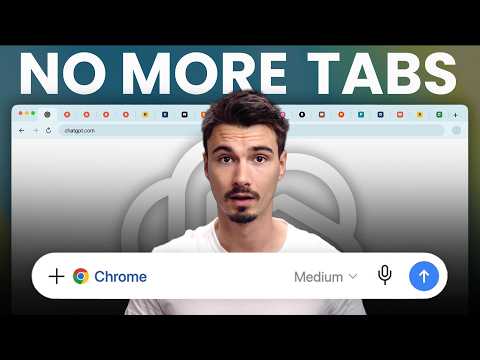
ChatGPT Just Solved My Biggest Browser Problem

Video thumbnail: ChatGPT Just Solved My Biggest Browser Problem
Oct 16, 20267m 19s video lengthThe AI Advantage

The Signal

OpenAI has released a Chrome connector for ChatGPT that allows the model to directly read and synthesize information across multiple open browser tabs. This tool aims to reduce the need for manual tab-by-tab review, positioning itself as a core component in a broader effort to consolidate email, communication apps, and internet research into a single AI-driven interface. The transition from app-centric workflows to bot-mediated management is the central, albeit personal, premise.

The Case

Browser Integration

  • The new ChatGPT Chrome connector, installed via the Chrome Web Store, enables users on paid plans to query active browser tabs using the @chrome command in ChatGPT work.0:04
  • In a demonstration, the model analyzed multiple open articles regarding bot use cases, filtering the content to return top recommendations in approximately 30 seconds.3:17

Workflow Consolidation

  • The narrator argues that assistant-based workflows—integrating email, calendar, Slack, and WhatsApp—can eventually replace the need to visit these apps directly.4:34
  • By treating email as a database of tasks rather than a destination, the model can synthesize information to send messages or manage context without the user ever opening the native application.

Tool Selection

  • The speaker differentiates products by use case: Dot is recommended for work-heavy management, Grok Bot for users desiring fine-grained control and tinkering, and Meta Muse for those seeking a dedicated personal assistant.6:41
  • These tools are framed as filters that prioritize high-value tasks, allowing users to spend less time on devices and more time on offline, focused projects.6:05

The 1 Minute Signal Take

The utility of this Chrome connector is clear for anyone overwhelmed by digital clutter, though the speaker's broader prediction that browser-based app usage will disappear remains speculative. Use the connector as a triage tool to synthesize information, but treat the claim that bots will universally replace direct app workflows as an aspirational workflow preference rather than an established technical standard.

Pro Analysis

Why It Matters

The integration of LLMs directly into the browser's context model represents a bridge between 'closed' app environments and 'open' AI reasoning. By turning the browser into a searchable, synthesis-ready workspace, OpenAI is positioning ChatGPT as a layer above the operating system itself.

Strategic Implications

This development signals a transition toward 'agentic' workflows where the browser acts as a medium for input/output rather than the primary workspace. For developers and power users, this increases the value of data accessibility; for SaaS providers, it creates a risk of disintermediation where users stop visiting their platforms entirely.

Evidence & Hype Audit

The content relies on anecdotal evidence and personal workflow success. While the demo shows clear capability, the claim that browsers or apps will 'disappear' is speculative. The underlying technical utility (the ability to read tabs) is high-signal, but the broader cultural predictions should be viewed as subjective interpretations.

Counterarguments

Critics may point to the significant privacy and security risks of granting an AI permanent access to all browser tabs, including sensitive work data, financial tools, and personal communications. Additionally, the 'one bot' paradigm creates a massive single point of failure and potential vendor lock-in.

Who Should Care

  • Productivity enthusiasts: To reclaim time spent in repetitive UI cycles.
  • Enterprise IT managers: To monitor the risk of sensitive data being aggregated by third-party AI connectors.
  • SaaS Founders: To rethink how to retain engagement when bots aggregate your platform's data.

What to do next

  • Audit which of your daily apps can be moved into a bot-mediated triage system.
  • Install the official Chrome connector to test synthesis speed on your current open tabs.
  • Review your personal assistant 'stack' to decide if a single-purpose tool like a Dot or a general tool like Grokbot fits your needs.
  • Set a trial period for 'bot-first' communication before opening native apps.
  • Evaluate the security implications of allowing the extension access to all your browser sites.
Time saved:4m 3s

Share this

Tags

Written by: 1 Minute Signal Editorial Team