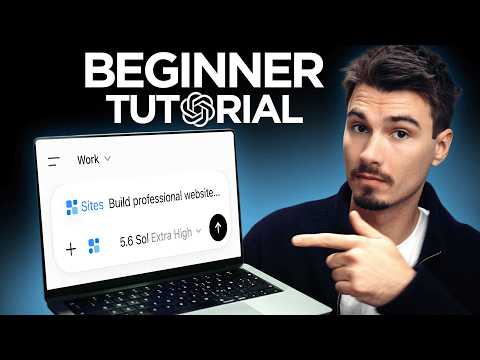
ChatGPT Work: Everything You Need to Know to Get Started!

Video thumbnail: ChatGPT Work: Everything You Need to Know to Get Started!
Jul 18, 202612m 43s video lengthThe AI Advantage

The Signal

ChatGPT’s new "work mode" allows users to trigger multi-step, agentic workflows, such as building hosted websites, by toggling a specific switch. The primary trade-off is that this capability is currently gated behind premium plans, regional availability, and usage limits, raising questions about whether these features offer reliable results beyond the speaker's demos.

The Case

  • Work mode distinguishes itself from standard chat by planning and executing tasks independently; the speaker demonstrates this via a website build for a fictional business.0:52
  • Explicitly selecting the "sites" tool before sending a prompt is considered essential, as the speaker reports that ambiguous prompts can otherwise result in mere HTML files rather than a live site.4:05
  • The "context sandwich"—a prompt structure capturing user identity at the top, the specific task in the center, and quality standards at the bottom—is presented as the most reliable way to guide the AI’s output.5:34
  • While the tool creates a polished initial site with images and contact forms, the system allows for iterative real-time edits, where users can request visual or structural changes using further chat inputs.10:55
  • Access is not universal, as the speaker notes that the feature may be restricted by plan tier, usage credits that require topping up, and a delayed rollout for users in the EU, Switzerland, and the UK.11:32

The 1 Minute Signal Take

This functionality marks a shift toward goal-oriented AI automation, but its practical application remains contingent on correct tool selection and navigation of platform-specific constraints. Users should treat current demonstrations as a best-case baseline rather than a universal guarantee of reliability.

Pro Analysis

Why It Matters

This shift represents a fundamental transition in how non-technical users interact with AI. Moving from 'chatting with an assistant' to 'directing an autonomous agent' democratizes professional-grade web production, effectively lowering the cost-to-entry for small business owners and content creators.

Strategic Implications

Businesses can now pivot from conceptualization to deployment within minutes. For service-based companies represented by the 'Dave's Landscaping' example, this removes the dependency on expensive third-party web agencies or laborious, entry-level site builders.

Evidence & Hype Audit

This content is highly practical and task-oriented, grounded in a clear demonstration. However, the speaker uses hyperbolic language (“way better,” “agentic”) that lacks comparative benchmarks. The advice is anecdotal and based on the creator's personal experience rather than rigorous technical documentation.

Counterarguments

The primary risk is 'AI-dependence.' While the demo shows a perfect build, complex sites often require custom backend logic or database integrations that simple conversation cannot easily replicate, potentially creating a 'usability cliff' once the user moves past basic layout needs.

Role-Specific Takeaways

  • Small Business Owners: Use this to launch presence-sites without hiring consultants.
  • Content Creators: Streamline the production of landing pages for campaigns.
  • Technical Users: Exercise caution—the abstraction layer hides how these sites are actually hosted and protected.

What to Do Next

  • Toggle the work switch at chatgpt.com to experience the interface layout.
  • Draft a 'context sandwich' prompt for a simple landing page.
  • Test the iteration capability by asking for three specific visual changes to the first draft.
  • Compare the generated site's mobile versus desktop layout for quality control.
  • Check whether your account/region provides access to the 'sites' tool.
Time saved:9m 59s

Share this

Tags

Written by: 1 Minute Signal Editorial Team