Build your own captions app with AssemblyAI's Speech-to-Text API

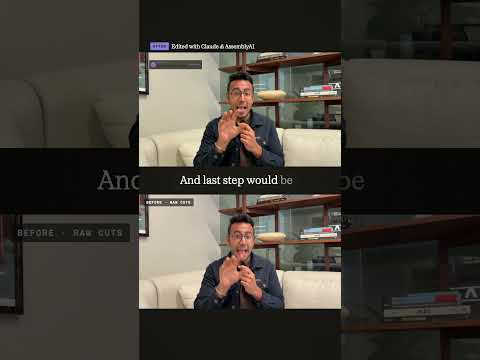
Video thumbnail: Build your own captions app with AssemblyAI's Speech-to-Text API
Oct 23, 202658s video lengthAssemblyAI

The Signal

A three-step AI-assisted video editing workflow allows creators to generate personalized visual styles through Claude, integrate multilingual captions via AssemblyAI, and export projects into Final Cut Pro for manual refinement. This process prioritizes custom branding and editable post-production flexibility, positioning AI as a generative foundation rather than an automated end-state solution.

The Case

The Workflow

  • The pipeline follows a rigid sequence: users first generate a custom design system in Claude, apply speech-to-text captions using AssemblyAI, and finalize the edit via an FCP XML export for use in Final Cut Pro.0:02
  • This structure enables post-generation control; creators can delete specific Claude-generated elements directly within their editing software before producing a final version.0:44

Captioning and Compatibility

  • The captioning tool supports two concurrent transcript layers and multiple language-script outputs, including Hindi with the English alphabet and Mandarin with English characters.0:18
  • While Final Cut Pro compatibility is explicitly handled through FCP XML, the speaker mentions that Adobe Premiere users should select a compatible file format or an "MCP," a term left undefined in the workflow description.

Promotional Context

  • The presenter positions the tools as a practical way to "make you you," providing a range of aesthetic prompts—such as "warm," "witty," and "cinematic"—to align AI output with personal branding.
  • The workflow is presented as a direct-action tutorial, concluding with a call to obtain a free API key at assembly.com/playground, despite inconsistent branding of the underlying transcription model in the transcript.

The 1 Minute Signal Take

The value here lies in the post-AI manual edit, which preserves creative control over the final product. The provided workflow is actionable but remains a promotional framework that asserts tool capabilities without demonstrating the technical specifics of its more ambiguous features like "MCP" support.

Pro Analysis

Why It Matters

This workflow represents a shift in video production where AI acts as a "creative consultant" rather than a simple conver...
Full analysis always available on Pro.

Share this

Tags

Written by: 1 Minute Signal Editorial Team