How to Create AI Dashboards to Monitor Almost Anything

Video thumbnail: How to Create AI Dashboards to Monitor Almost Anything
Jul 22, 20262m 10s video lengthThe Wall Street Journal

The Signal

Vibe-coding tools allow those with zero programming experience to build functioning software, yet the process is neither instantaneous nor entirely free. While the ability to translate natural language into a custom dashboard is a milestone for non-technical users, developers must still navigate iterative refinement, usage caps, and data integration hurdles.

The Case

The Build Workflow

  • The app creation process relies on an iterative loop: describing an app to the AI, generating a mock-up, refining the design through back-and-forth chat, and finally replacing AI-generated fake data with real data.
  • Speed is a core benefit of this method, as the creator produced a working version of their open-water swimming dashboard in about two hours.1:52
  • The workflow is not seamless or one-shot: the user reported that nailing down the final design required significant iterative effort.1:15

Tool Choice and Costs

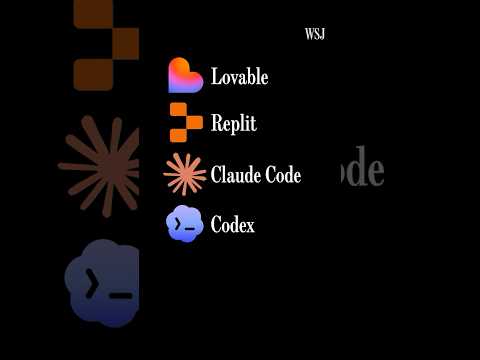
  • The narrator identifies Lovable — a platform for building web apps via natural language — as the most accessible entry point for beginners among several evaluated tools, including Replit and Cloud Code.0:25
  • The model is usage-based rather than exclusively free, as the narrator had to pay $25 in overage credits after exceeding the platform's free tier during their project.
  • While the narrator recommends Lovable for novices, they acknowledge the experience is subjective; the platform’s performance for production-ready, durable software remains unproven in this demo.

The 1 Minute Signal Take

Vibe coding offers a functional shortcut for building niche dashboards, but users should anticipate a learning curve tied to iterative prompting and hidden costs. This is not a magic end-to-end solution; it is a tool for rapid prototyping that requires the user to manage both project budget and data implementation.

Pro Analysis

Why It Matters

This content illustrates the shifting geography of software creation. The ability to build custom, data-rich dashboards without a codebase represents a massive reduction in the 'time-to-first-utility' for niche data problems.

Strategic Implications

Businesses and researchers should view this as a potential productivity unlock for middle management and domain experts who lack coding skills but handle complex data. It reduces the dependency on overburdened software engineering departments for internal, low-stakes tooling.

Evidence & Hype Audit

This is an anecdotal, single-user demonstration. It lacks comparative data against other tools (Replit, etc.), and the 'ease of use' claim is subjective. It is trustworthy as a record of one man's afternoon experiment but should not be taken as a benchmark for production-quality software reliability or enterprise scalability.

Counterarguments

The skeptic would argue that while initial prototypes are fast, long-term maintenance and technical debt in AI-generated code remain significant risks. A non-coder may build the dashboard, but they lack the expertise to fix it when the underlying API or data service breaks.

Who Should Care

  • Domain Experts: For monitoring real-time metrics without internal IT support.
  • Product Managers: For rapid prototyping of dashboard requirements.
  • Hobbyists: For niche personal tracking projects like the swimming stats example.

What To Do Next

  • Define the specific data sources and metrics you need to track.
  • Start a free account on a vibe-coding platform like Lovable.
  • Use the 'plan first' feature to set clear expectations for the AI.
  • Prepare to iterate on the design multiple times before moving to real data.
  • Budget for paid credits to ensure you can finish the project without interruption.

Share this

Tags

Written by: 1 Minute Signal Editorial Team