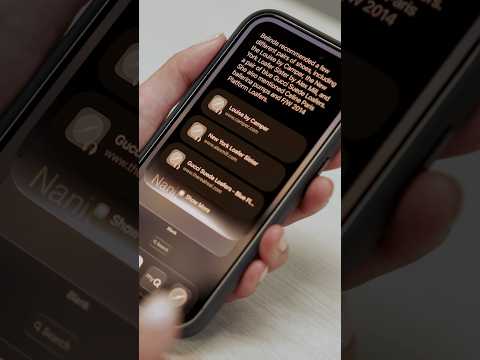
iOS 27 Features: What Apple’s New Siri AI Can Actually Do | WSJ

Video thumbnail: iOS 27 Features: What Apple’s New Siri AI Can Actually Do | WSJ
Sep 14, 20261m 55s video lengthThe Wall Street Journal

The Signal

Apple is positioning its updated Siri as a new, context-aware intelligence capable of seeing a user's screen, camera feed, and personal data. While the company markets this as a major upgrade, its practical utility is currently split between high-functioning, on-device automation and significant gaps in third-party app integration.

The Case

Platform and Context

  • Siri's new features are restricted to devices supporting Apple Intelligence, the company's new AI-integrated hardware and software framework.
  • The core value proposition is privileged, on-device access to the user's screen, camera-viewable environment, and personal repositories including messages, photos, emails, and notes.0:12
  • Users retain the ability to disable these AI features entirely through system settings if they have privacy concerns regarding this level of data access.

Real-World Utility and Limitations

  • The system demonstrated specific high-friction tasks, such as scanning receipts to automatically calculate taxes, fees, and tips, with options to pay via Apple Cash or external apps like Venmo.0:49
  • Siri can also analyze food items via the camera to provide nutritional ratings, adjusting its feedback dynamically as new items—like a banana added to a biscotti—enter the frame.0:31
  • Practical search capabilities remain constrained; major messaging platforms including Signal and WhatsApp have not yet enabled support for Siri to query their conversation histories.1:27
  • The narrator frames this version of Siri as a useful, complementary tool rather than a comprehensive replacement, advising users to keep existing chatbots like Claude and ChatGPT on speed dial.

The 1 Minute Signal Take

This update represents a shift toward deeply integrated, device-local AI rather than cloud-only interaction, though its current value is limited by fragmented app-ecosystem support. Expect it to handle personal logistics and visual analysis effectively while remaining insufficient for comprehensive cross-platform information retrieval.

Pro Analysis

Why It Matters

This update marks a critical shift in how we interact with mobile devices: from manual input and app-switching to intent-based, cross-app execution. By granting an AI assistant visibility into the screen and camera, Apple is betting that 'contextual awareness' is the missing link that will make voice assistants actually useful for complex, multi-step workflows.

Strategic Implications

Apple is leveraging its hardware-software synergy to create a walled-garden advantage. By restricting these features to devices capable of running Apple Intelligence, they are effectively incentivizing hardware upgrades. However, the success of this strategy hinges on the willingness of third-party developers to integrate their data, creating a potential ecosystem bottleneck.

Evidence & Hype Audit

The content relies heavily on specific, favorable demonstrations (receipts, food) while glossing over technical accuracy or limitations. The claim that this is 'something no other AI can do' is marketing-speak that lacks comparative evidence. The information is high-signal regarding current capability, but users should be wary of the 'big upgrade' narrative until it survives the friction of real-world, non-demo conditions.

Counterarguments

Critics might argue that deep-integrating AI into personal data—even with privacy controls—creates a single point of failure for sensitive information. Furthermore, if Siri cannot index a significant portion of a user's communication (like encrypted apps), it remains a 'siloed' assistant rather than a true digital agent.

Who Should Care

  • Power users who rely on high-frequency document parsing or information retrieval.
  • Privacy advocates tracking how Apple manages on-device vs. cloud-based data processing.
  • Developers waiting to see if Siri's 'contextual search' becomes an essential integration target.

What to Do Next

  • Verify if your specific iPhone model supports the full suite of Apple Intelligence features.
  • Review the new privacy settings to understand exactly which apps are granted permission to share data with Siri.
  • Test the receipt-parsing and food-rating features to determine if they provide value in your specific use cases.
  • Monitor app updates for Signal and WhatsApp to see when they eventually gain support for Siri’s local search queries.

Share this

Tags

Written by: 1 Minute Signal Editorial Team